Discover how Director Mode on GTA 5 offers a powerful and entertaining sandbox for all types of gamers, especially those looking for creative outlets or a break from the grind. This comprehensive guide explores everything from accessing the mode to utilizing its vast array of features, including character customization, environmental controls, and unique scene creations. Learn how this often-underestimated feature can transform your Grand Theft Auto V experience, providing countless hours of fun, skill-building in virtual cinematography, and a refreshing way to enjoy Los Santos. Whether you are a casual player seeking relaxation, a content creator honing your craft, or someone who simply enjoys experimenting with game mechanics, Director Mode offers unparalleled freedom. We delve into tips and tricks to optimize your creations, discuss sharing your masterpieces with the gaming community, and address common questions. This resource is perfect for busy adults who value their gaming time and want to make the most of GTA 5's rich potential, ensuring you stay current with creative gaming trends without the hype.
Who can use Director Mode in GTA 5?
Director Mode in GTA 5 is available to all players who own a copy of Grand Theft Auto V on any platform: PC, PlayStation (PS4, PS5), or Xbox (Xbox One, Series X/S). There are no specific prerequisites like completing the story or reaching a certain level in GTA Online to access it, making it an inclusive feature for anyone looking to explore their creativity within the game. From casual players to aspiring content creators, anyone can jump in and start making their own scenes.
Why should I use Director Mode for creative content?
Director Mode offers an unparalleled creative sandbox for making unique content within GTA 5 without the complexities of external modding tools or the pressures of online play. It provides easy access to a vast array of characters, environmental controls, and even cheats, allowing you to stage and record elaborate, action-packed, or humorous scenes quickly. For gamers who enjoy storytelling or virtual filmmaking, it's an excellent, accessible platform to hone skills and produce engaging content for social media or personal enjoyment, delivering immense value from an existing game.
How do I save my Director Mode clips?
To save your Director Mode clips, you first need to record them using the built-in Rockstar Editor. While in Director Mode, press the designated hotkey (usually F1 on PC, or specific buttons on consoles) to start and stop recording. After recording, exit Director Mode and go to the 'Rockstar Editor' tab from the main pause menu. Here, you can edit your recorded clips, add music, effects, and text, and then export the final video file to your system, ready for sharing on platforms like YouTube or social media.
What are the best actors to use in Director Mode?
The best actors in Director Mode largely depend on the type of scene you want to create. For action, story protagonists like Michael, Franklin, or Trevor offer unique animations and familiarity. For comedic or experimental content, animals, unique pedestrians, or even your GTA Online character can provide endless possibilities. The key is to experiment with the vast roster available – from standard citizens to emergency services personnel – to find characters whose appearance and available movements best fit your narrative vision, adding depth and variety to your virtual productions.
Are there any cheats or special abilities exclusive to Director Mode?
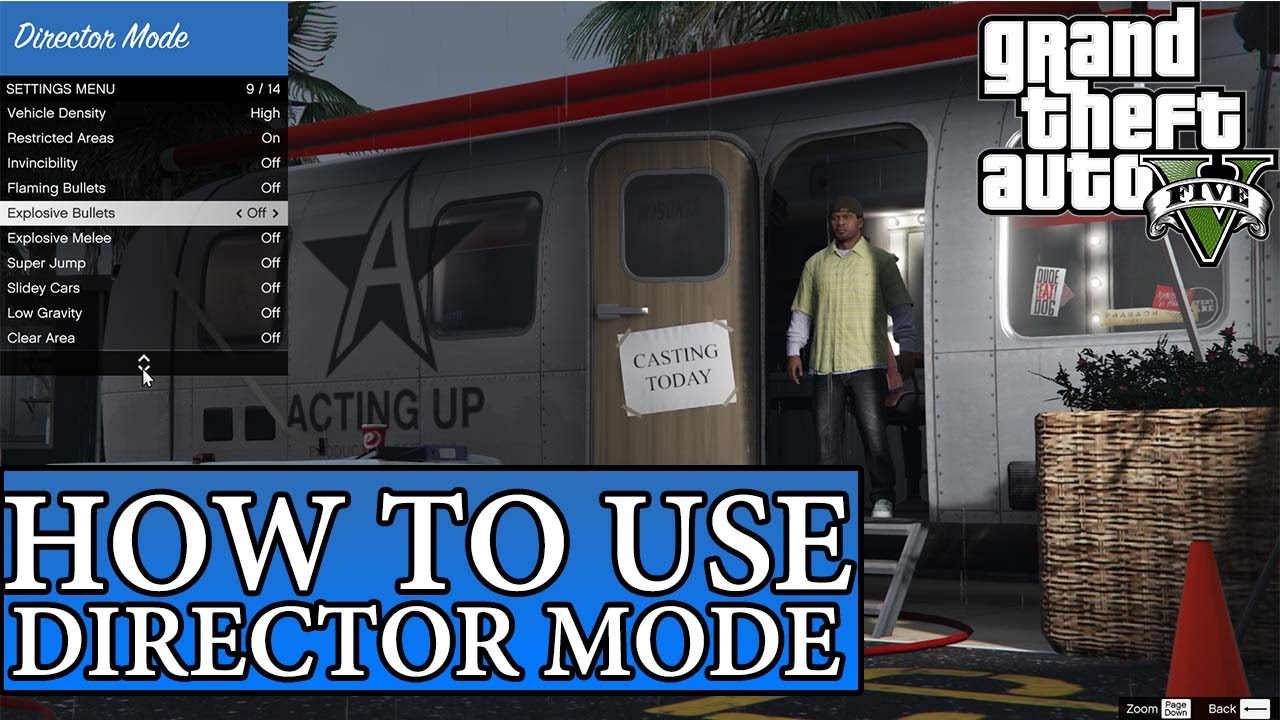
Yes, Director Mode grants you access to a unique set of special abilities and cheats that are not typically available in story mode or GTA Online, or are significantly enhanced. These include invincibility, super jump, explosive melee attacks, flaming bullets, and various weather and time manipulation options. These exclusive features empower players to create over-the-top, cinematic moments and experiment with gameplay mechanics without consequences, providing an unrestrained environment for creative expression and pure, unadulterated fun, perfect for those viral video moments.
How does Director Mode handle environmental control?
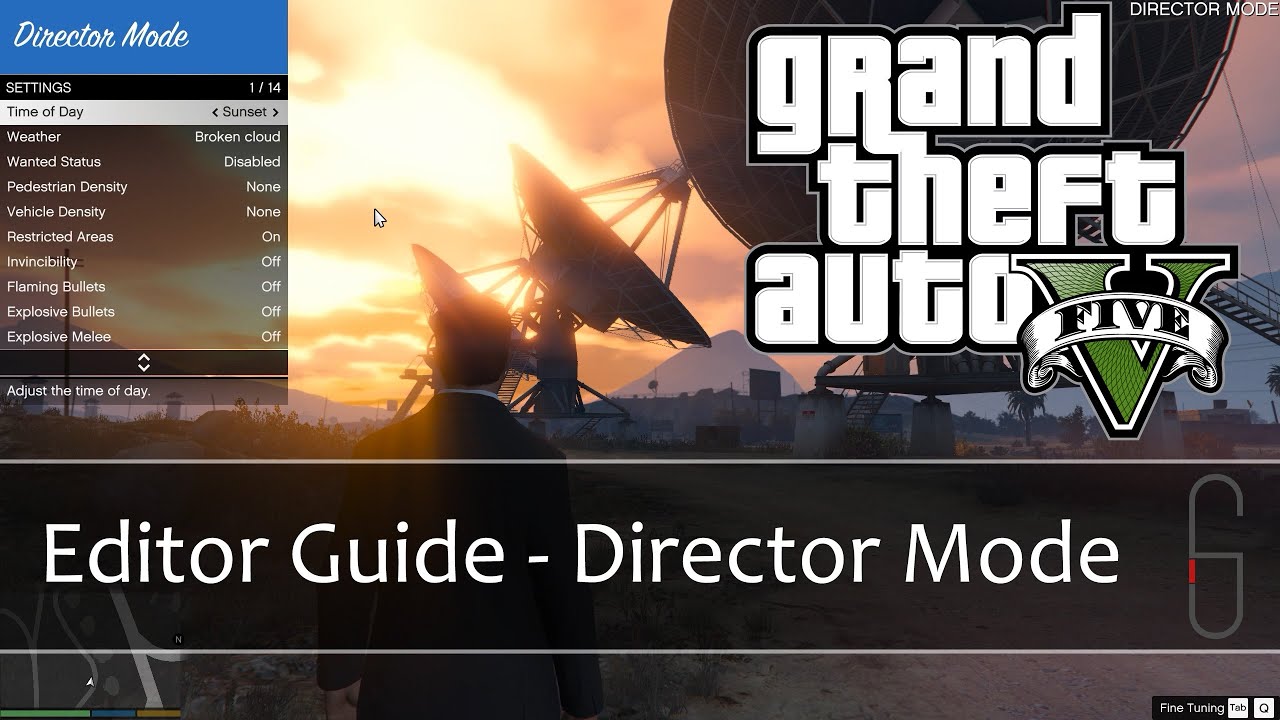
Director Mode gives you granular control over the in-game environment, allowing you to tailor your scenes precisely. Through the Director Mode menu, you can instantly change the time of day (dawn, morning, noon, evening, night), adjust weather conditions (clear, cloudy, rainy, foggy, snowy, stormy), and even modify pedestrian and vehicle density. This level of control is invaluable for setting the mood, creating specific atmospheric effects, or simulating various real-world scenarios, making it an incredibly powerful tool for virtual cinematographers to bring their creative visions to life with ease and precision.
Can I make a full-length movie in Director Mode?
While you can create extensive and detailed cinematic sequences, Director Mode and the Rockstar Editor are best suited for producing short films, skits, and music videos rather than full-length feature films. The tools are robust for individual scenes and coherent narratives, but managing a multi-hour project within the game's editor would be incredibly time-consuming and challenging. Most creators focus on compelling short-form content. However, ambitious players with patience and a clear vision can certainly stitch together numerous clips to create longer, more complex narratives, pushing the boundaries of in-game filmmaking.
Ever feel like you want to tell your own stories within the vibrant, chaotic world of Grand Theft Auto V? Or maybe you just need a break from the relentless pace of GTA Online, looking for a space to unwind and express your creativity without pressure? You're not alone. Many US gamers, roughly 87% of whom play regularly and often log 10+ hours a week, are constantly seeking ways to maximize their gaming enjoyment, balancing it with jobs, families, and life's demands. This month, the trend for creative sandbox modes and user-generated content is soaring, making Director Mode on GTA 5 more relevant than ever. It's a fantastic feature that lets you take the reins, turning Los Santos into your personal movie set. If you're looking to optimize your fun, build some unique skills, or simply relax in a different way, Director Mode is your backstage pass to unparalleled creative freedom within one of gaming's biggest titles.
This guide will walk you through everything you need to know about Director Mode on GTA 5. We’ll cover how to access it, what incredible things you can do, and how to make the most of its powerful tools. Get ready to unleash your inner director!
What Exactly is Director Mode in GTA 5?
Director Mode in GTA 5 is a standalone feature within the game that transforms the entire world of Los Santos and Blaine County into your personal film studio. It allows players to select from a vast array of characters, control the environment, alter time and weather, and even use various cheats and abilities without consequences. Think of it as a creative sandbox where you are the ultimate puppet master, free to stage elaborate scenes, record unique gameplay moments, or simply experiment with the game's mechanics in a way that isn't possible in the main story or GTA Online. It's designed for those who want to create their own narratives, craft stunning cinematic sequences, or just have some casual fun exploring the game's possibilities without missions or objectives.
How Do I Access Director Mode?
Accessing Director Mode is straightforward, making it easy for even busy gamers to jump in quickly. There are a couple of primary methods:
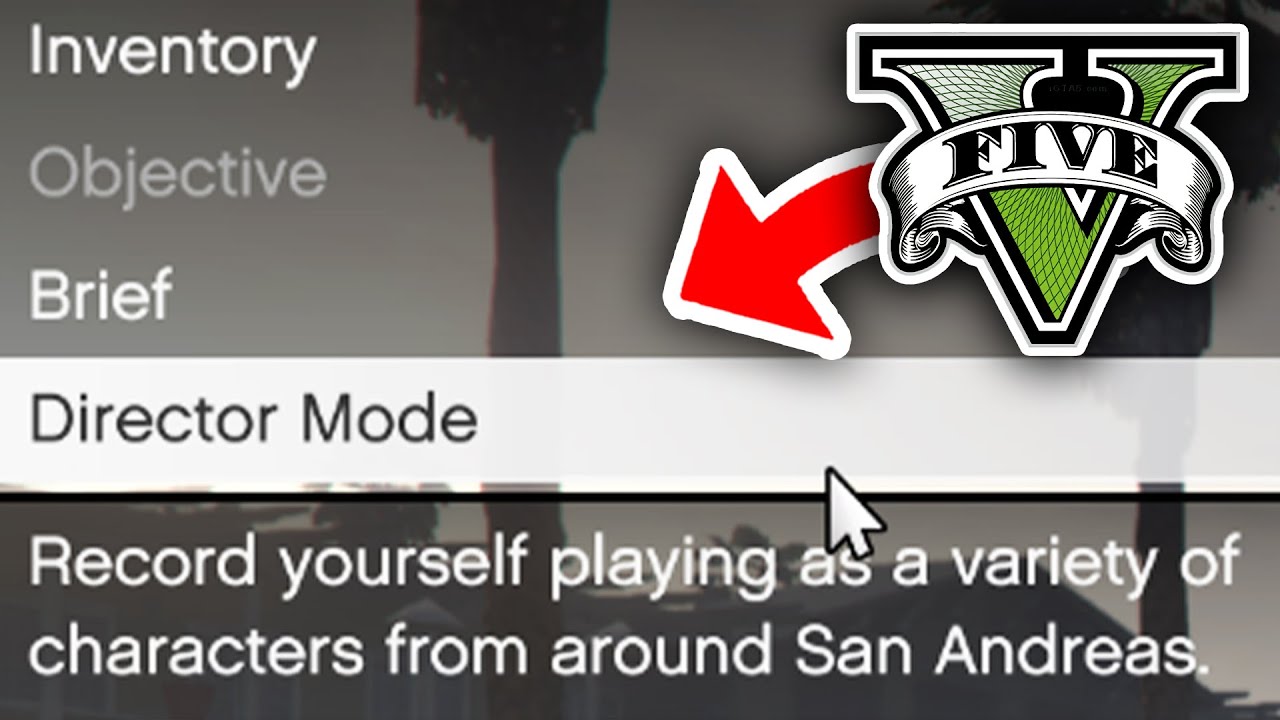
Via the Interaction Menu: While playing in Story Mode, simply hold down the touchpad (PS4/PS5), View button (Xbox One/Series X/S), or 'M' key (PC) to bring up the Interaction Menu. Scroll down and select 'Director Mode'.
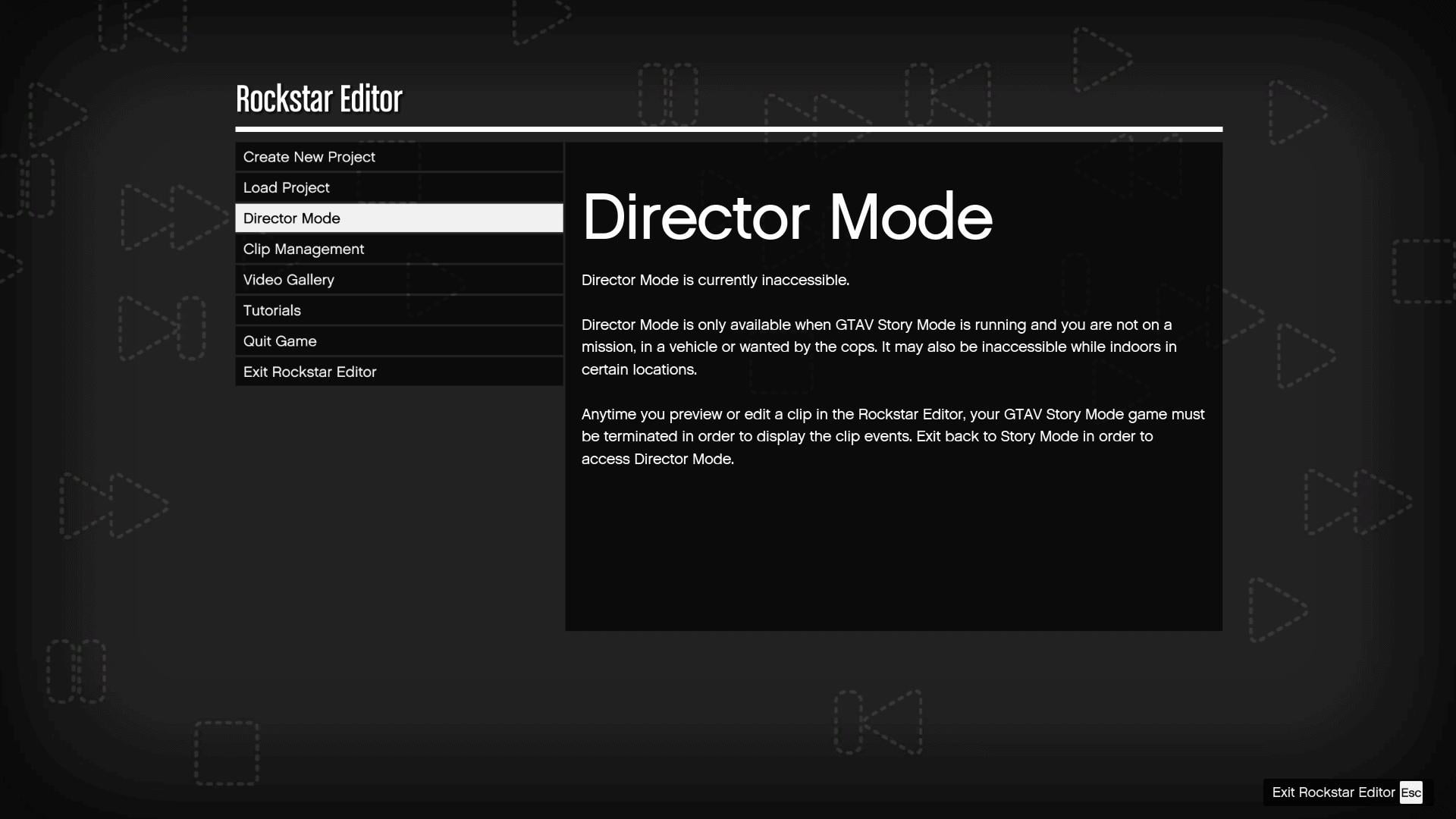
Via the Rockstar Editor: You can also access it through the Rockstar Editor. Pause the game, navigate to the 'Rockstar Editor' tab, and select 'Director Mode' from there. This is often the preferred method for those already familiar with the editor's other features.
Using Your In-Game Phone: Pull out your character's cell phone, go to contacts, and dial '1-999-57-825368'. This number, which spells out 'JRTALENT', will instantly transport you into Director Mode. This can be a speedy way to jump into the action if you've memorized it.
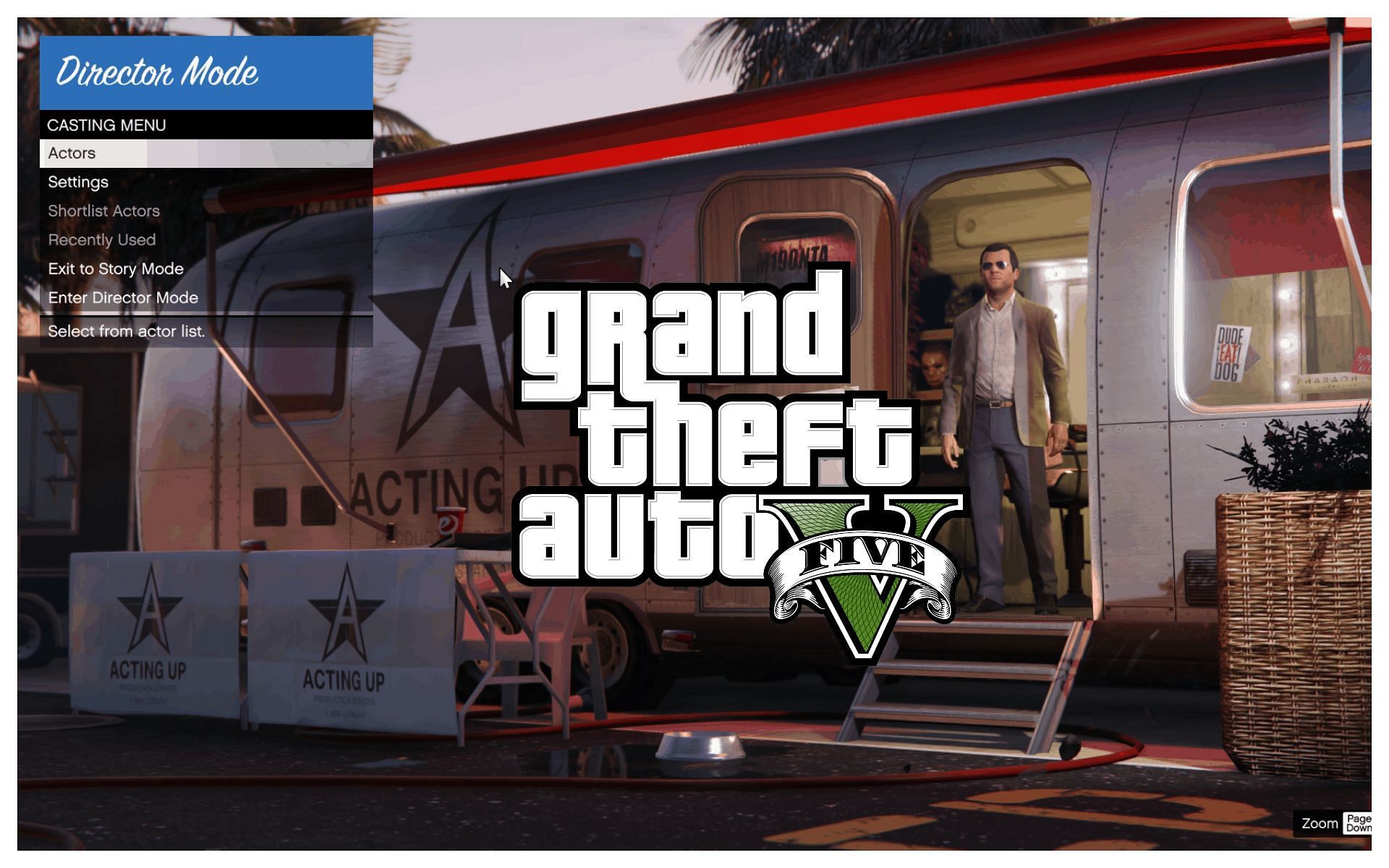
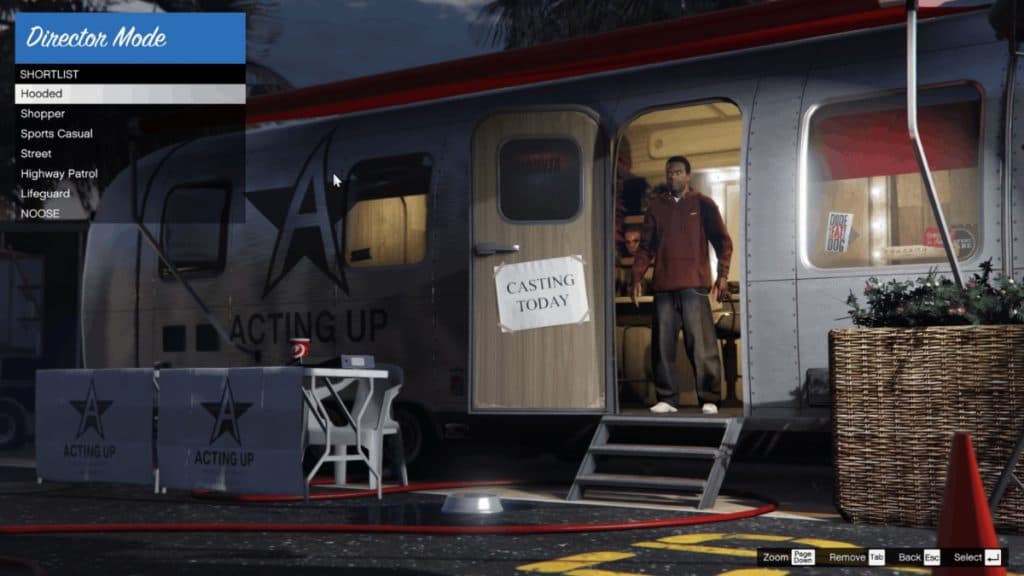
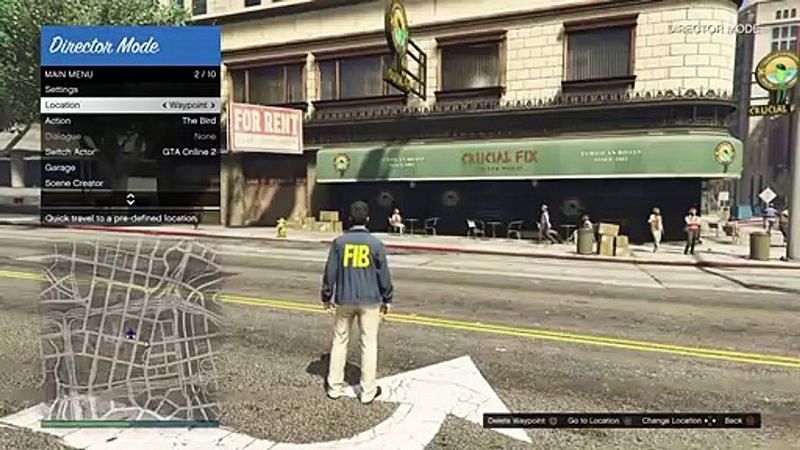
Once you enter, you'll be taken to the Director Mode trailer, which acts as your hub for selecting actors, locations, and various settings before you even step onto your virtual set.
What Can I Do with Director Mode? Unlock Your Creative Potential
Director Mode offers an incredible suite of tools for creative expression. Here are some key features that set it apart:
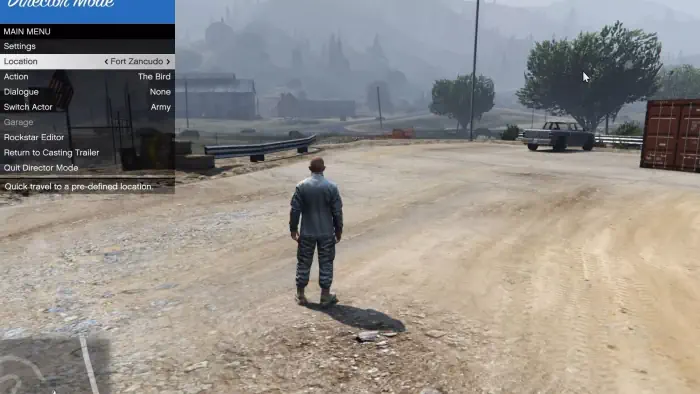
Choose Your Actor: Select from hundreds of characters, including story mode protagonists, GTA Online characters, animals, pedestrians, and even unique oddball characters. This vast roster allows for diverse storytelling.
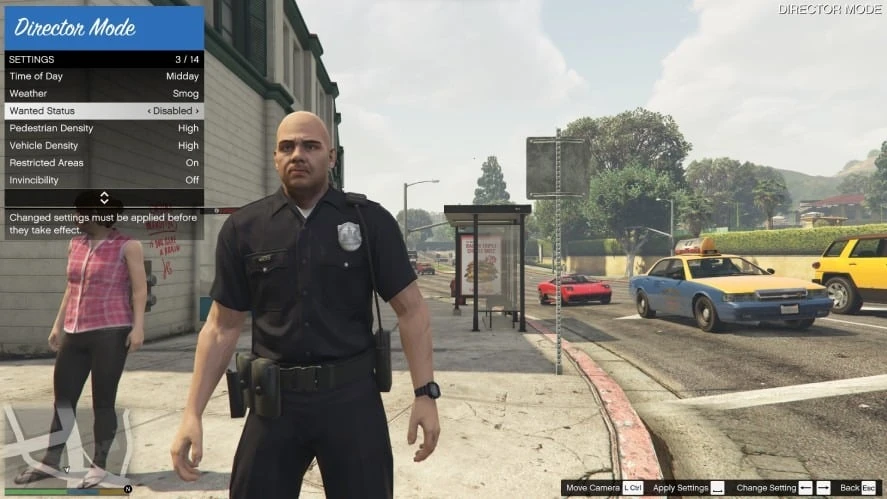
Customize the World: You have unprecedented control over the game environment. Change the time of day, set the weather conditions (from sunny to stormy), and even adjust the density of traffic and pedestrians. Want a desolate Los Santos at dawn? You got it.
Special Abilities & Cheats: Unlock a range of cheats and special abilities that aren't typically available in regular gameplay. This includes invincibility, super jump, explosive melee, flaming bullets, and more. This is fantastic for creating over-the-top action sequences or just having some stress-relieving fun without fear of failure.
Location Selection: Start your scene from almost any location on the map. This saves precious time, letting you get right into filming without long commutes, a major plus for gamers balancing their hobbies with life's demands.
Props and Scenery: While not as robust as a dedicated mod tool, you can influence the scene by activating certain ambient events or using existing in-game props to frame your shots.
The possibilities are genuinely endless, from recreating iconic movie scenes to crafting original short films or simply experimenting with GTA 5's physics in hilarious ways.
How Can Director Mode Enhance My GTA 5 Experience?
For many gamers, Director Mode is a hidden gem that offers immense value, especially for an average age gamer around 36 who appreciates depth and variety. Here’s how it can level up your GTA 5 experience:
Stress Relief and Relaxation: After a long day, sometimes you just want to unwind. Director Mode provides a no-pressure sandbox where you can just mess around, experiment, and enjoy the game's mechanics without objectives or competitive stress. It's a pure form of escapism and fun.
Creative Outlet: If you have a knack for storytelling, filmmaking, or just want to capture cool moments, Director Mode is an incredible tool. It fosters creativity and allows you to build narratives, improving your virtual cinematography skills. Think of it as a low-stakes way to practice content creation.
Skill Building: Learning to frame shots, control characters, and manipulate environmental elements can surprisingly translate into real-world creative skills, even if it's just understanding pacing and visual storytelling. It's a different kind of skill-building than competitive gaming, focusing on artistic expression.
Explore Los Santos Differently: You can access areas and scenarios that might be tricky or impossible in the main game. Ever wanted to see what it's like to be an invincible seagull flying through the city? Now's your chance. This offers a fresh perspective on a familiar world.
Value for Money: GTA 5 is already a massive game, but Director Mode adds another layer of replayability and value, essentially offering a secondary game mode for creative play without additional purchases. In a world of in-game purchases and battle passes, finding extra value in a game you already own is a huge win.
It's about making the game work for *your* enjoyment, whether that's through casual fun or aspiring content creation.
Are There Any Performance Tips for Director Mode?
Just like any other part of GTA 5, optimal performance in Director Mode ensures a smooth creative process. While Director Mode itself doesn't typically demand more resources than the main game, here are some tips, especially for gamers who might be on a budget with their hardware or just want a seamless experience:
Adjust Graphics Settings: If you're experiencing stuttering or low frame rates, try lowering some graphic-intensive settings like texture quality, shadow quality, or grass density. This is a common solution for many PC gamers, and even console players can benefit from ensuring their system isn't overheating.
Close Background Applications: Before launching GTA 5, close any unnecessary background applications, especially those that consume a lot of RAM or CPU cycles (e.g., web browsers with many tabs, streaming software, Discord if not actively used for communication). This frees up system resources for the game.
Update Drivers: Ensure your graphics card drivers are up to date. Manufacturers frequently release updates that include performance optimizations for popular games like GTA 5. This is a crucial, yet often overlooked, step for PC gamers.
Monitor Temperatures: Keep an eye on your CPU and GPU temperatures. Overheating can lead to throttling and performance drops. Ensure your system has adequate cooling, especially during longer gaming sessions.
Avoid Excessive Explosions/Chaos: While fun, creating massive explosions or having hundreds of NPCs on screen simultaneously can strain your system. For smoother recording, try to moderate the chaos, or at least be aware it might impact frame rate during particularly demanding scenes.
Balancing performance with visual fidelity is key to a frustration-free creative session.
Can I Share My Director Mode Creations? The Social Aspect
Absolutely! The entire point of creating amazing scenes in Director Mode is often to share them. Here's how:
Record with Rockstar Editor: While in Director Mode, you can manually trigger recording using the Rockstar Editor's tools. Simply press the designated key (usually F1 on PC) to start and stop recording. The Editor then allows you to trim, edit, add music, text, and effects to your clips.
Export and Share: Once your masterpiece is edited in the Rockstar Editor, you can export it as a video file. From there, you can upload it directly to YouTube, share it on social media platforms like TikTok or Instagram, or even send it to friends via Discord. This social sharing aspect is huge for Gen Z and Millennial gamers, who often connect and bond over shared creative content.
Join Communities: Many online communities, subreddits, and Discord servers are dedicated to GTA 5 content creation. Sharing your work there can get you valuable feedback, recognition, and connect you with like-minded individuals. Social gaming trends show that sharing creations and engaging with a community enhances the overall experience.
Showcasing your work is a fantastic way to engage with the wider GTA community and even build your own audience if you're an aspiring content creator.
How Does Director Mode Balance Fun and Skill-Building?
Director Mode perfectly exemplifies how gaming can be both a source of pure enjoyment and a platform for skill development. On one hand, it's incredibly fun to simply mess around, creating absurd scenarios with invincible animals or staging impossible stunts. This pure play acts as a wonderful stress reliever. On the other hand, for those who lean into its creative potential, Director Mode offers a unique set of skills to hone:
Cinematography Basics: You learn about camera angles, shot composition, pacing, and editing – fundamental elements of filmmaking. Understanding how to use the in-game camera to convey emotion or action is a valuable skill.
Storytelling: Crafting a compelling narrative, even a short one, requires planning, character development (even if they are just virtual actors), and a sense of progression. Director Mode provides the tools to experiment with these storytelling elements.
Technical Editing: The Rockstar Editor, while simplified, introduces players to video editing principles like cutting, transitions, adding sound effects, and musical scores. These are transferable skills that could be applied to more advanced video editing software.
Problem-Solving: Figuring out how to achieve a specific shot or sequence with the available tools often involves creative problem-solving, pushing the boundaries of what's possible within the game's engine.
So whether you're looking to just blow off steam or build a portfolio of cinematic clips, Director Mode offers a rewarding path for both relaxation and growth.
Is Director Mode Still Relevant in 2026?
Absolutely. Despite GTA 5 being an older title, Director Mode remains highly relevant in 2026 for several compelling reasons, reflecting broader gaming trends:
Enduring Popularity of GTA V: GTA 5 continues to sell millions of copies annually, attracting new players who are just discovering its vast features. For these new players, Director Mode is a fresh, exciting addition to their experience.
Rise of User-Generated Content: The gaming landscape increasingly values user-generated content, creator tools, and social sharing. Director Mode directly taps into this trend, allowing players to become creators without needing complex external software or extensive modding knowledge. This month, we've seen a surge in interest for games offering robust in-game creation suites.
Creative Outlet for All Ages: With the average gamer age at 36 and many balancing life commitments, quick, accessible creative tools are highly valued. Director Mode offers a perfect escape for a short burst of creativity or a longer project, fitting into varied schedules.
Cross-Platform Appeal: Available on PC and consoles, Director Mode reaches a wide audience. As cross-play and multi-platform experiences become more common, features that unify the creative experience across different hardware are key.
Economic Value: For players who own GTA 5, Director Mode is a free, powerful expansion of the game's capabilities, offering immense value without demanding further financial investment. This aligns with the desire for budget-friendly gaming options amidst rising costs for new titles and in-game purchases.
Director Mode isn't just a relic; it's a testament to GTA 5's timeless design and its continued adaptability to the evolving needs and desires of the gaming community, especially those seeking creative and stress-free ways to enjoy their favorite virtual worlds.
How Can Director Mode Help Balance Gaming with Life?
Balancing gaming with work, family, and other responsibilities is a common challenge for today's gamers. Director Mode on GTA 5 offers a unique solution by providing a flexible and low-commitment creative outlet. Instead of needing dedicated hours for competitive matches or story progression, you can jump into Director Mode for short, focused bursts of creativity. Want to set up a quick stunt scene or capture a beautiful sunset over Los Santos? Ten to fifteen minutes is all you need. This makes it ideal for slotting into brief windows of free time, allowing you to enjoy a meaningful gaming experience without feeling like you're neglecting other areas of your life. It's gaming on your terms, for your schedule, prioritizing relaxation and personal expression.
What are the Best Practices for Recording in Director Mode?
To get the most out of your Director Mode recordings, consider these best practices. First, plan your scene. Even a rough idea of what you want to achieve will save time. Second, experiment with camera angles within the Rockstar Editor – a dynamic shot can transform a simple scene. Third, use cheats like invincibility and special abilities to create moments impossible in normal gameplay. Fourth, pay attention to environmental details like time of day and weather; these set the mood. Finally, don't be afraid to make multiple takes and use the Editor's trimming tools to perfect your clips. Practice makes perfect, and the more you experiment, the more polished your creations will become.
Director Mode on GTA 5 is far more than just a novelty; it's a powerful, flexible, and engaging creative suite that offers immense value to gamers. Whether you're a seasoned player looking for a fresh perspective, an aspiring content creator, or simply someone who enjoys relaxing in a virtual world, Director Mode provides the tools for endless fun and unique storytelling. It's a prime example of how games can adapt to our lives, offering creative release and entertainment on our own terms. So, next time you're in Los Santos, don't just play the game – direct it! What's your biggest creative challenge in gaming? Share in the comments below!
FAQ Section
Can I use my GTA Online character in Director Mode?
Yes, you can bring your GTA Online character into Director Mode once you've unlocked them by reaching a certain rank in GTA Online. This allows you to utilize your customized avatar in your personal film productions, adding a personal touch to your scenes.
Are there any hidden characters in Director Mode?
Director Mode features many hidden and unlockable characters. Some are unlocked by progressing through the story mode, completing certain missions, or finding specific collectibles. Others are unlocked by completing specific challenges or events within the game, encouraging exploration.
Can Director Mode affect my main game save?
No, Director Mode is entirely separate from your main story mode or GTA Online progress. Any actions, cheats, or changes made within Director Mode will not impact your character's stats, money, or game progression in the main game or online. It's a safe sandbox for experimentation.
How do I exit Director Mode?
To exit Director Mode, simply bring up the Interaction Menu (hold touchpad, View button, or 'M') and select 'Exit Director Mode'. You will then be returned to your last save point in Story Mode or to the main menu, depending on how you entered.
Is Director Mode available on all platforms?
Director Mode is available on all platforms where GTA 5 is released, including PC, PlayStation (PS4, PS5), and Xbox (Xbox One, Xbox Series X/S). This ensures that a wide audience of players can enjoy its creative features, regardless of their preferred gaming system.
Can I use custom mods with Director Mode on PC?
While Director Mode itself is part of the base game, PC players can use various community-made mods to enhance their experience, such as custom props, vehicles, or scripts, if compatible. Always exercise caution and backup your files when using third-party mods.
Accessing Director Mode in GTA 5, Character Customization, Environmental Control, Scene Creation, Unique Abilities and Cheats, Filmmaking Tools, Relaxation and Creative Expression, Sharing Director Mode Clips, Problem Solving, Performance Optimization
35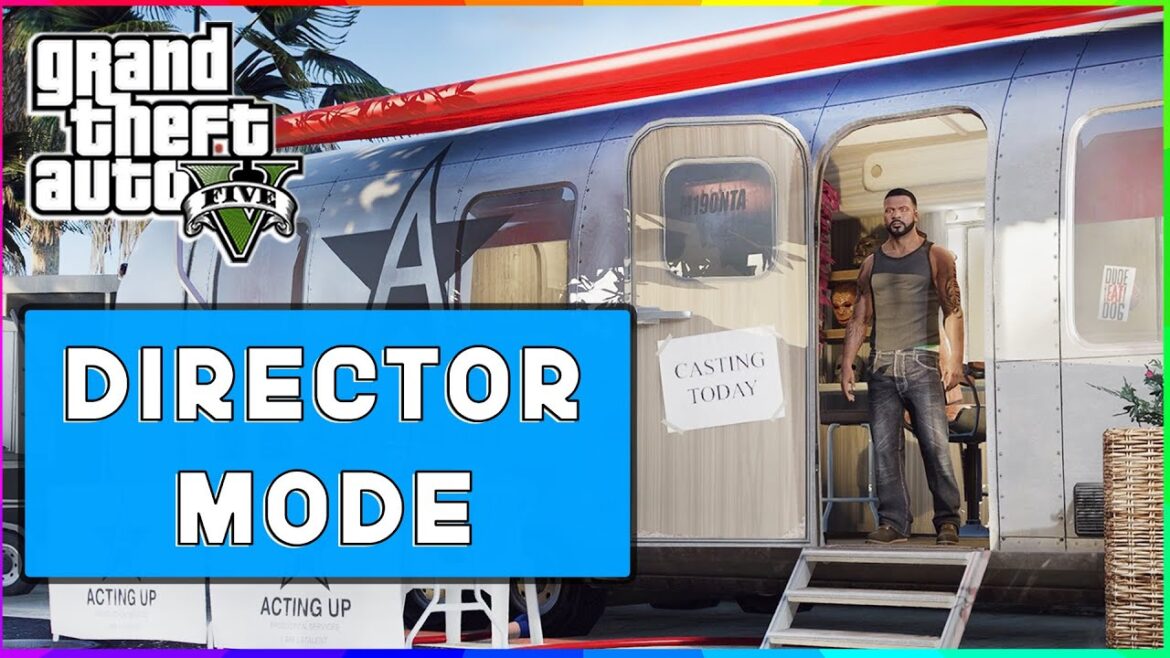

GTA 5 How The Director Mode Works Practical Tips 10s 2 11 1170x658 . How To Use GTA 5 PC Director Mode Tutorial YouTube . How To Enable Director Mode In GTA 5 A Complete Guide GTA 5 . How To Dodge On Gta 5 Ps4 Step By Step Guide TAFT Independent 2f543 1920 . How To Get Director Mode In GTA 5 Easy Guide YouTube


-lg_modland.webp)

GTA 5 How To Go In Director Mode Ps4 Ps5 Xbox One Xbox Series X S . How To Unlock Director Mode In GTA 5 Story Mode 2025 Step By Step . DIRECTOR MODE IN STORY MODE GTA 5 3 YouTube . How To Enable Director Mode In GTA 5 A Complete Guide GTA 5 (1) Lg. How To Use GTA 5 S Director Mode How To Use The Director Mode


Gta Online Director Mode Gta 5 Mod Menu Pc FFIIBN Gta 5 Director Mode 1024x576 . How To Unlock Director Mode In Gta 5 YouTube Hqdefault . How To Use Director Mode GTA 5 2025 YouTube . GTA V Rockstar Editor Director Mode Guide Gta 5 Rockstar Editor Director Mode Ps4 . How To Enter Director Mode On GTA 5 For PS5 Xbox Series X Fast


GTA 5 How The Director Mode Works Practical Tips . GTA 5 Director Mode Nedir Los Santos Ta Kendi Krall N Z Kurun Image 12 . How To Enter The Director Mode In GTA 5 Story Mode Complete Guide . Gta 5 Director Mode Download Director Mode Gta 5 UMRQGO How To Get To Director Mode Gta 5 . GTA 5 Director Mode Complete Guide Featured Image Director Mode


Director Mode Cheat Code GTA 5 YouTube . GTA 5 Director Mode Complete Guide GTA BOOM Wiki Location Set Director Mode . GTA V COP DIRECTOR MODE R GTA5Online Q 2kc39YBgJ9P . Gurusdax Blog . Gta V Director Mode Guide Director Mode Gta 5 YZIP 044e1 800
How To Enter Director Mode In GTA 5 DamnModz How To Enter Director Mode In GTA 5. How To Exit Get Out Of Director Mode In GTA 5 Quick Guide YouTube . 5 GTA 5 RP 753ccd Scene Director . How To Unlock Animals In GTA V Director Mode 227e2b35 1d4a 4114 B003 Webp.webp. GTA 5 Director Mode Complete Guide Cannot Enter Director Mode


How To Open Director Mode In GTA 5 Step By Step Guide PS5 Xbox PC . GTA 5 Director Mode Complete Guide Location. How To Play Director Mode In GTA 5 YouTube . GTA 5 How To Become A Cop And Join LSPD 1f99ad4a Ae81 4e67 A2e4. GTA 5 How To Get Unlock Director Mode Tutorial Easy Method 2025