Understanding what hertz means in gaming is crucial for any serious player looking to enhance their experience. This comprehensive guide breaks down the concept of refresh rate and its profound impact on visual fluidity and responsiveness. Discover how a higher hertz monitor can translate into smoother gameplay faster reactions and a more immersive adventure whether you are into competitive esports or relaxing single-player stories. We will cover the differences between refresh rate and frames per second how to check and adjust your monitor settings and what hardware considerations you need to make for optimal performance. Learn about the sweet spot for various gaming styles budget-friendly upgrade tips and how to avoid common setup issues. This article is your go-to resource for demystifying hertz and ensuring your gaming setup delivers the crisp clear action you deserve balancing performance with real-world budget constraints and lifestyle needs.
What is Hertz in Gaming and Why Does it Matter
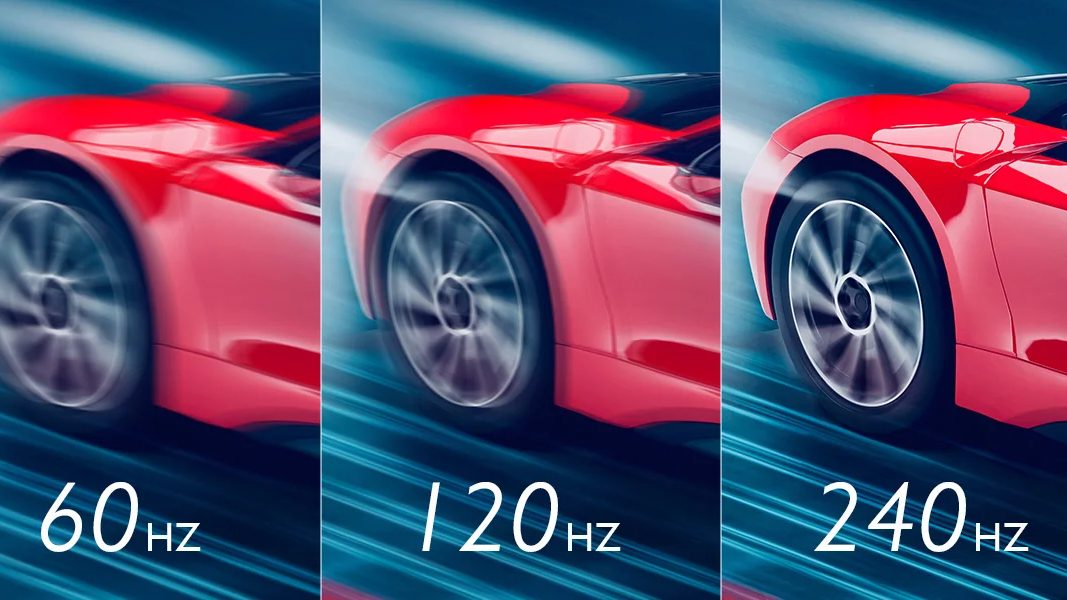
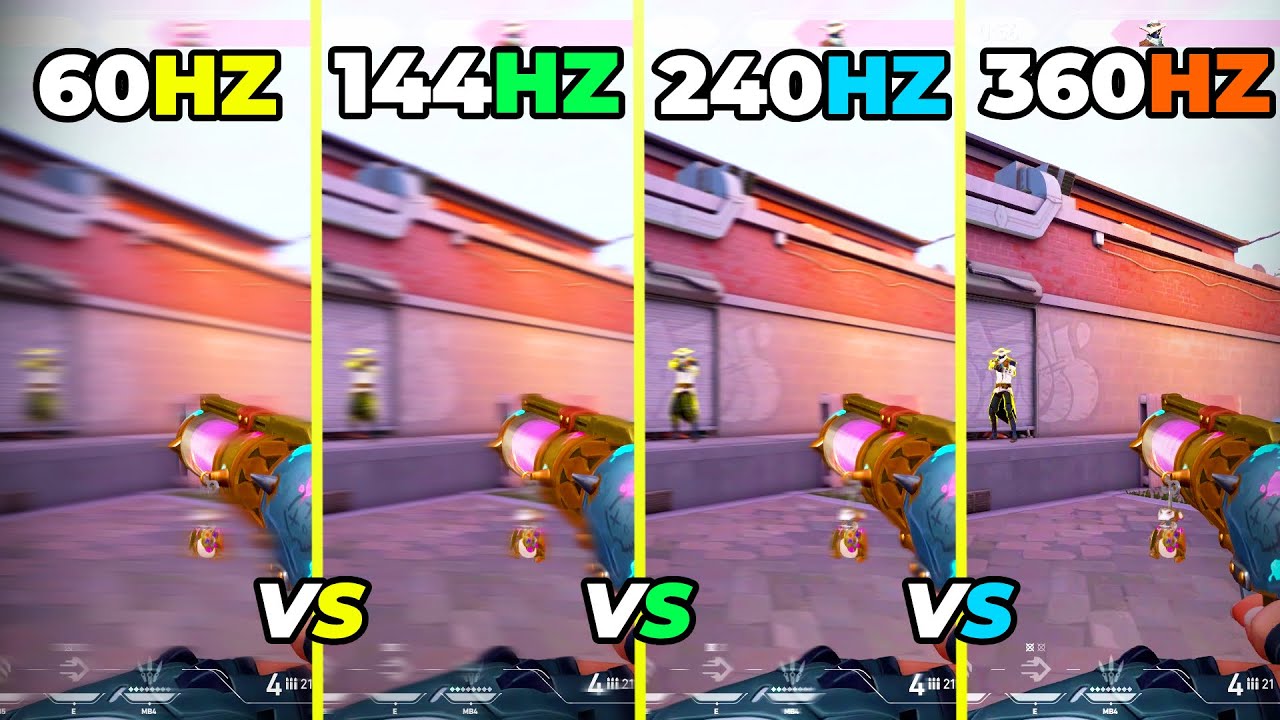
Hertz Hz in gaming refers to your monitor's refresh rate which is how many times per second your screen updates with new images. It is crucial because a higher refresh rate means smoother gameplay less motion blur and faster visual feedback for your actions. This directly impacts your responsiveness and overall immersion making a significant difference in how fluid and enjoyable your games feel.
How Do I Know What Hertz My Monitor Is Running At
Checking your monitor's refresh rate is easy On Windows right-click your desktop select Display settings then Advanced display settings and you will find a dropdown for Refresh rate. For macOS navigate to System Settings then Displays. Consoles have similar options usually under Screen and Video or TV & Display settings. Always confirm your settings to ensure your monitor is running at its optimal refresh rate.
Can My PC Handle a High Refresh Rate Monitor
Your PC's ability to drive a high refresh rate monitor depends primarily on your graphics card GPU and processor CPU. To fully benefit from a 144Hz monitor for instance your PC needs to consistently generate 144 or more frames per second in your games. If your hardware struggles to reach these frame rates a higher hertz monitor won't provide its full advantage. Always check your system specifications and game benchmarks.
What is the Difference Between Hertz and FPS
Hertz Hz is your monitor's refresh rate indicating how many times it refreshes its image per second. FPS Frames Per Second is the rate at which your graphics card renders frames. Ideally your FPS should match or exceed your monitor's Hz. If your GPU outputs 100 FPS on a 60Hz monitor you only see 60 unique frames per second with the others being wasted or leading to tearing without adaptive sync.
Is a 144Hz Monitor a Good Upgrade for Casual Gamers
Absolutely Even for casual gamers a 144Hz monitor provides a dramatically smoother and more comfortable visual experience compared to 60Hz. It reduces eye strain and makes all screen interactions from browsing to gaming feel much more fluid. While competitive advantages are clear for esports the overall quality of life improvement is significant for anyone who spends time in front of their PC.
What Role Does Adaptive Sync Play with Hertz
Adaptive Sync technologies like AMD FreeSync and NVIDIA G-Sync are vital companions to high hertz monitors. They synchronize your monitor's refresh rate with your graphics card's FPS output. This eliminates screen tearing and minimizes stuttering ensuring a consistently smooth visual experience even when your FPS fluctuates below your monitor's maximum refresh rate. It is a key feature for seamless gameplay.
Should I Prioritize Hertz or Resolution When Buying a Gaming Monitor
For most competitive and fast-paced gamers prioritizing hertz is often more beneficial as it directly impacts responsiveness and fluidity. However for single-player narrative-driven games or titles where visual fidelity is paramount higher resolution might be preferred. Ideally balance both within your budget and hardware capabilities aiming for a sweet spot like 1440p at 144Hz if your GPU can handle it.
Does My Cable Type Affect My Monitor's Hertz Capability
Yes the cable you use can definitely affect the maximum hertz your monitor can achieve especially at higher resolutions. Older HDMI versions or DVI cables might not support high refresh rates or resolutions. For 144Hz or higher at 1080p or 1440p a DisplayPort cable is generally recommended. For 4K at 120Hz or higher HDMI 2.1 is necessary. Always use the correct cable to unlock your monitor's full potential.
Are There Downsides to High Hertz Monitors
While the benefits are numerous there are some minor downsides. High hertz monitors are typically more expensive than their 60Hz counterparts. They also require a more powerful graphics card to consistently produce enough frames to utilize the higher refresh rate fully which can lead to additional upgrade costs. For some very niche scenarios extremely high refresh rates might not be fully supported by all older games.
How Can I Troubleshoot if My Monitor Isn't Showing Its Max Hertz
First check your display settings as mentioned earlier. Ensure your graphics card drivers are up to date. Verify your monitor cable is the correct type and securely connected. Sometimes, a simple restart can resolve it. If you're using adaptive sync, ensure it's enabled in both your monitor's OSD and your graphics card's control panel. Lastly, check your monitor's manual or manufacturer's website for specific setup instructions or driver downloads.
Does a Higher Refresh Rate Reduce Eye Strain
For many users a higher refresh rate can significantly reduce eye strain and fatigue especially during long gaming sessions. The smoother motion and reduced flickering make the on-screen action appear more natural and less jarring to the eyes leading to a more comfortable viewing experience. This is a noticeable benefit for those who spend extended periods gaming or working on their computers.
What is a Good Budget for a High Hertz Monitor in 2026
In 2026 you can find excellent 1080p 144Hz monitors starting around 150-200 USD. For 1440p at 144Hz or 165Hz prices typically range from 250-400 USD depending on features like panel type and adaptive sync support. Keep an eye out for sales and refurbished options from reputable retailers to maximize your budget efficiency for these crucial upgrades.
Ever felt like your game was just a little off a step behind or not quite as smooth as everyone else's highlight reels? You are not alone. Many US gamers especially those balancing work family and life often wonder why their gaming experience sometimes feels choppy or unresponsive even with a decent setup. It is a common pain point: you have carved out precious time for a gaming session hoping to unwind build skills or connect with friends but the technical hiccups get in the way. One of the biggest unsung heroes in smoothing out your gameplay and giving you that edge is a concept called Hertz or Hz which refers to your monitor's refresh rate.
In 2026 where a staggering 87 percent of US gamers play regularly often dedicating 10 or more hours a week the demand for a flawless visual experience has never been higher. Whether you are deep into a competitive FPS mobile MOBA or enjoying a cozy co-op title with friends understanding what hertz means in gaming is no longer just for the pros it is for every gamer who values their time and their immersion. This guide is designed to cut through the hype providing practical real-world advice to help you optimize your setup on a budget and make the most of your limited gaming time. We will demystify hertz explain its critical role and show you how to unlock a smoother more responsive gaming journey without breaking the bank or requiring a computer science degree. Let us dive in and transform your gaming experience.
What Exactly Are Hertz in Gaming?
Hertz abbreviated as Hz is a unit of frequency that, in the context of gaming monitors, describes how many times your screen refreshes its image per second. Think of it like flipping through a book of drawings: the faster you flip, the smoother the animation appears. A 60Hz monitor, for example, refreshes 60 times every second. A 144Hz monitor refreshes 144 times per second. This refresh rate directly impacts how fluid and responsive your games look and feel, making a significant difference in fast-paced action where every millisecond counts for an accurate shot or quick dodge.
Why Do Hertz Matter So Much for Gamers?
The importance of a higher refresh rate cannot be overstated, especially for gamers who rely on quick reflexes and precise movements. A monitor with a higher hertz rating delivers more up-to-date visual information to your eyes in the same amount of time. This means less motion blur, clearer images during fast action, and a more immediate sense of control over your character. For competitive players, this can translate into spotting enemies sooner or reacting to events with greater accuracy. For casual players, it simply makes the game feel more natural, reducing eye strain and increasing overall immersion, allowing you to truly relax and enjoy your limited gaming hours.
How Do Hertz Relate to FPS (Frames Per Second)?
This is a common point of confusion for many gamers. Hertz (Hz) is your monitor's refresh rate – how many frames it *can display* per second. FPS (Frames Per Second) is how many frames your graphics card is *generating* per second. Ideally, you want your FPS to match or exceed your monitor's Hz. If your GPU renders 100 FPS but you have a 60Hz monitor, you're only seeing 60 unique frames per second. The other 40 are effectively wasted, or can lead to screen tearing if not managed by adaptive sync technologies like FreeSync or G-Sync. Conversely, if your GPU only hits 40 FPS on a 144Hz monitor, you won't experience the full benefit of that higher refresh rate, as the monitor is waiting for more frames than your PC can deliver.
What Hertz Refresh Rate Should I Aim For?
The ideal refresh rate depends on your gaming habits, budget, and the types of games you play. For a general gamer balancing life and work, even a jump from 60Hz to 75Hz or 120Hz on a budget can be noticeable and beneficial. Many competitive players target 144Hz, 165Hz, or even 240Hz for the ultimate smoothness, especially in titles like Call of Duty, Apex Legends, or Valorant where milliseconds matter. If you mostly play slower-paced RPGs, strategy games, or cozy simulation titles, 60Hz or 75Hz might be perfectly adequate, allowing you to save money for other upgrades or games. Most US gamers, according to recent trends, find 144Hz to be a sweet spot, offering significant improvement without the premium cost of ultra-high refresh rate monitors.
Can My PC or Console Even Handle High Refresh Rates?
Absolutely, but with caveats. To fully utilize a high refresh rate monitor, your PC needs a capable graphics card (GPU) and a strong processor (CPU) to consistently push frames at or above your monitor's refresh rate. If you have an older GPU, upgrading to a 144Hz monitor might not yield the expected results if your PC can only hit 60-80 FPS in your favorite titles. Consoles like the PlayStation 5 and Xbox Series X/S support up to 120Hz refresh rates, but only for games that are optimized to run at that frame rate. Always check your system's specs and game performance benchmarks before investing in a high-refresh monitor to ensure compatibility and maximize your value for money.
How Do I Check My Monitor's Current Hertz Setting?
Checking your monitor's refresh rate is usually straightforward. On Windows, right-click on your desktop, select 'Display settings', scroll down and click 'Advanced display settings'. From there, you'll see a 'Refresh rate' dropdown where you can view your current setting. On macOS, go to 'System Settings', then 'Displays', and find the 'Refresh Rate' option under the display preferences. For consoles, navigate to your system settings, usually under 'Screen and Video' or 'TV & Display options', where you can find refresh rate options for supported displays. It is a good first step in optimizing your setup and can often reveal if your monitor isn't running at its advertised potential.
How Do I Change My Monitor's Refresh Rate?
Once you have checked your refresh rate, changing it is often just as easy. On Windows, follow the same path: right-click desktop > Display settings > Advanced display settings > Refresh rate dropdown. Select the highest available option that your monitor supports. You may need to click 'Display adapter properties for Display 1' and then the 'Monitor' tab to see all options. For NVIDIA users, open the NVIDIA Control Panel, go to 'Change Resolution', and select the desired refresh rate. AMD users can find similar settings in the AMD Radeon Software. On consoles, look for display or video output settings; remember, the game itself must also support the higher frame rate for you to see the benefit. Sometimes a simple cable upgrade (like moving from an older HDMI to DisplayPort or a newer HDMI 2.1) is needed to unlock higher refresh rates at certain resolutions.
Are Higher Hertz Always Better, Or Is There a Sweet Spot?
While generally, higher hertz is better for gaming, there's definitely a sweet spot where the benefits start to diminish relative to the cost. The jump from 60Hz to 144Hz is usually a dramatic, game-changing experience. The leap from 144Hz to 240Hz, while still noticeable, is less impactful for the average gamer and often requires significantly more powerful hardware and budget. For busy adults, a 144Hz or 165Hz monitor often provides the best balance of performance, visual fluidity, and value. Beyond that, the extra frames might only be detectable by highly trained eyes in very specific, competitive scenarios, making it a niche upgrade for most. It is about getting the most bang for your buck for the gaming time you have.
What About Input Lag and Response Time? Are They Related to Hertz?
Input lag and response time are related to overall display performance but distinct from hertz. Response time, measured in milliseconds (ms), refers to how quickly a pixel can change from one color to another. A low response time (e.g., 1ms or 5ms) helps reduce ghosting or streaking behind moving objects. Input lag is the delay between your action (like clicking a mouse) and that action appearing on screen. While a higher refresh rate can indirectly help by displaying new frames faster, a monitor can have high hertz but still have poor response time or input lag. Look for monitors with low response times (ideally 1-5ms) and features like 'low input lag mode' to ensure a truly responsive experience, combining these with your desired refresh rate.
Does My Graphics Card Limit My Hertz Experience?
Absolutely, your graphics card (GPU) is arguably the most critical component when it comes to realizing the full potential of a high-refresh-rate monitor. The GPU is responsible for rendering the frames that your monitor then displays. If your graphics card can only consistently produce 60 FPS in your favorite game, even a 240Hz monitor will only show you 60 unique frames per second. It acts as the bottleneck. For a truly smooth 144Hz experience, you need a GPU powerful enough to maintain 144+ FPS in the games you play. Many gamers often upgrade their monitor first, only to find their older GPU struggles to keep up. It is important to match your GPU's capabilities with your desired refresh rate for optimal performance and value.
Upgrading Monitors: What to Look For Beyond Hertz?
When upgrading your monitor, hertz is paramount, but it is not the only factor. Consider these additional points:
- Resolution: Do you want 1080p, 1440p, or 4K? Higher resolutions demand more GPU power.
- Panel Type: IPS (great colors, wide viewing angles), VA (good contrast, immersive), or TN (fastest response, usually budget-friendly).
- Adaptive Sync: G-Sync (NVIDIA) or FreeSync (AMD) technologies dynamically adjust your monitor's refresh rate to match your GPU's FPS, eliminating screen tearing and stuttering. This is a huge benefit for a smooth experience.
- Size and Curvature: Personal preference for immersion and desk space.
- HDR: High Dynamic Range for more vibrant colors and contrast, though requires HDR content.
- Ergonomics: Stand adjustability for comfort during long sessions.
Balancing Budget and Performance: Smart Hertz Upgrades?
For gamers juggling life and a budget, smart upgrades are key. Here is how to approach it:
- Assess Your Current Hardware: Can your existing PC consistently hit high FPS in your preferred games? If not, a new GPU might be a better first upgrade than a super-high refresh rate monitor.
- Target a Sweet Spot: Aim for 144Hz or 165Hz monitors. These offer significant improvements over 60Hz without the premium price tag of 240Hz+ panels.
- Look for Sales: Monitor prices fluctuate. Keep an eye out for seasonal sales or refurbished units from reputable retailers.
- Consider Used Marketplaces: Websites like eBay, Facebook Marketplace, or local tech shops can offer great deals on lightly used monitors. Always check the seller's reputation and ask for photos/videos of the monitor working.
- Prioritize Adaptive Sync: A FreeSync or G-Sync compatible monitor will give you a much smoother experience even if your FPS dips below your refresh rate, making your frames feel more consistent.
Understanding what are hertz in gaming and how to optimize your setup can genuinely transform your gaming experience. For the busy adult gamer who values every moment of relaxation and fun, a smoother, more responsive display means deeper immersion, less frustration, and ultimately, more enjoyment. You don't need the most expensive gear, but rather the right gear configured correctly. By focusing on the relationship between your monitor's refresh rate, your graphics card's performance, and smart purchasing decisions, you can elevate your play without breaking the bank.
What's your biggest gaming challenge when it comes to performance? Comment below!
FAQ Section
What is the minimum recommended hertz for gaming today? For a noticeable improvement over standard 60Hz, a 75Hz or 120Hz monitor is a great entry point. For competitive play, 144Hz is widely considered the minimum for a truly fluid experience.
Does a higher refresh rate cause more input lag? Generally, no. A higher refresh rate typically reduces display latency, which contributes to lower overall input lag by displaying new frames faster. However, monitor-specific input lag is a separate factor to consider, so look for monitors with low response times and dedicated low-input lag modes.
Can I use a high hertz monitor with an older graphics card? You can, but you might not get the full benefit. Your graphics card must be able to produce frames at or near your monitor's refresh rate to avoid bottlenecks. If your GPU struggles to hit 60 FPS, a 144Hz monitor will still only show you 60 FPS, though it will display those frames faster.
Is 144Hz enough for competitive gaming? Yes, 144Hz is excellent for competitive gaming and is often considered the standard for esports professionals and serious enthusiasts. While higher refresh rates like 240Hz or 360Hz exist, the jump in perceived smoothness is less significant than from 60Hz to 144Hz, and they demand much more powerful hardware.
How do I know if my game is running at a high refresh rate? Many games have built-in FPS counters you can enable. You can also use third-party software like MSI Afterburner or your graphics card's overlay (NVIDIA GeForce Experience, AMD Radeon Software) to monitor your in-game FPS and confirm it is matching your monitor's refresh rate.
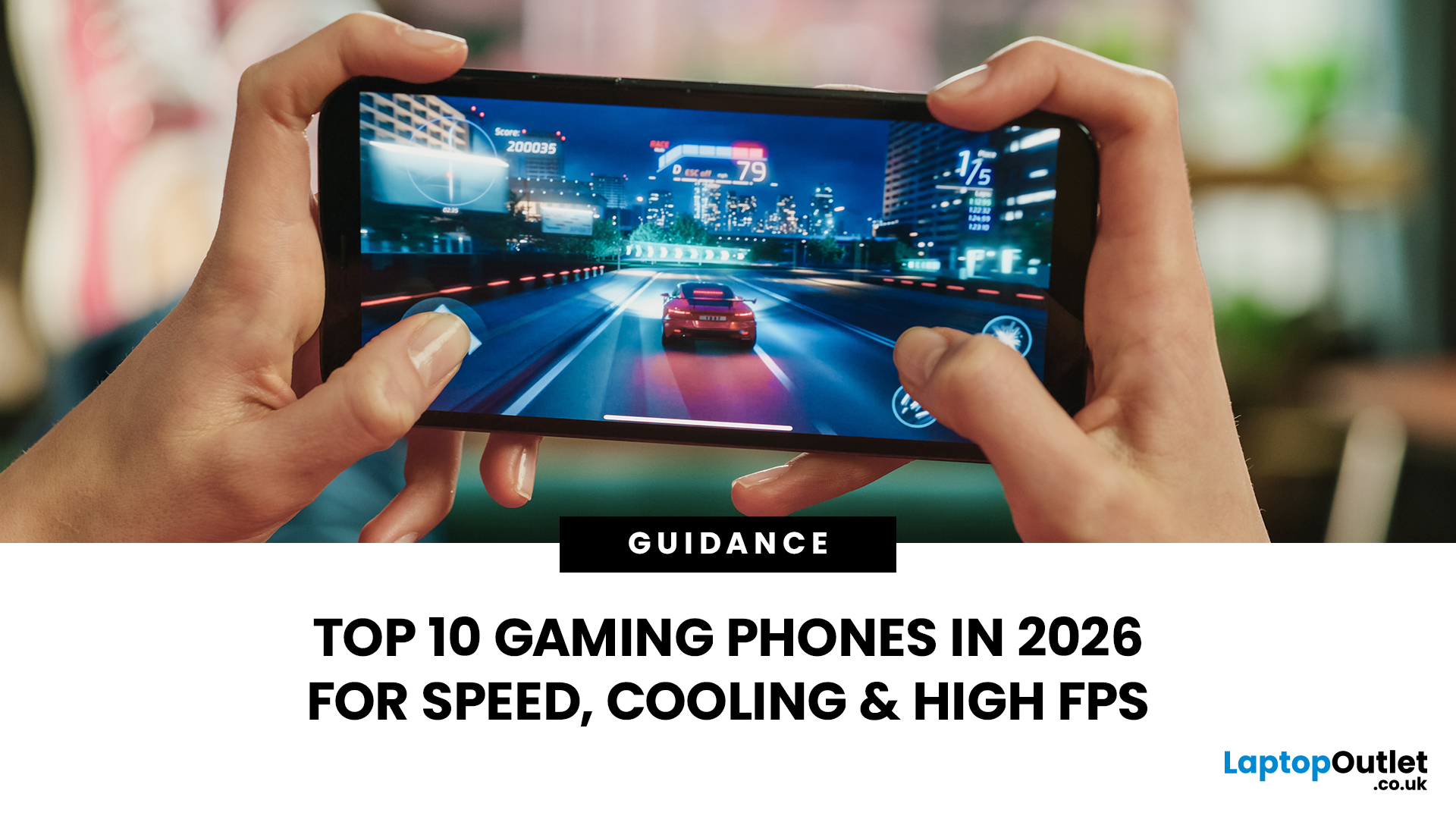
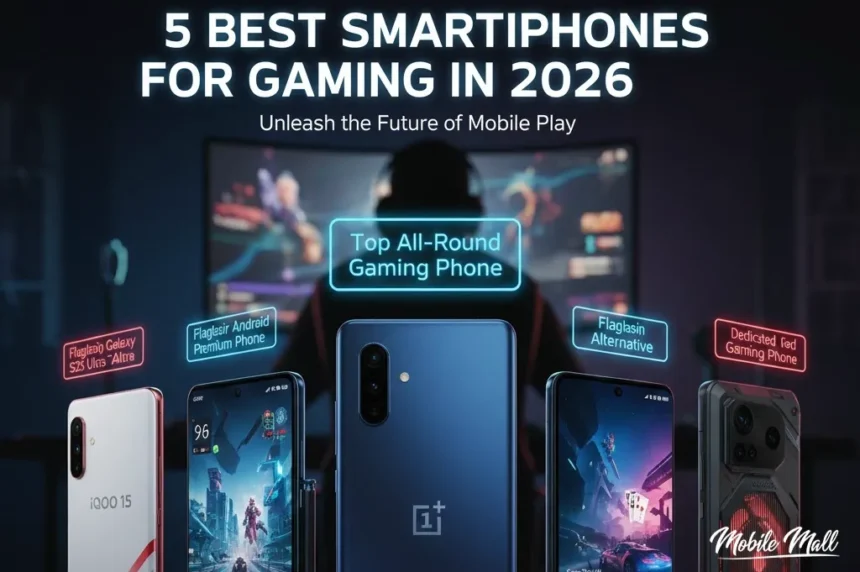
Does hertz affect mobile gaming? Yes, increasingly so! Many high-end gaming smartphones and tablets now feature screens with 90Hz, 120Hz, or even 144Hz refresh rates. This makes mobile games feel incredibly smooth and responsive, which is a major trend given the dominance of mobile gaming among US players.
Final thoughts
Understanding and optimizing your monitor's refresh rate, or hertz, is a fundamental step toward a superior gaming experience. For the typical US gamer balancing life, work, and precious free time, investing in a display that delivers smooth, responsive visuals means making the most of every gaming session. It reduces eye strain, improves reaction times, and deepens immersion, turning potential frustration into pure enjoyment. Remember, it is not just about raw power, but about intelligent configuration and matching your hardware to achieve a harmonious and effective setup. Embrace the knowledge of hertz, and unlock a new level of gaming satisfaction.
Hertz defines monitor refresh rate crucial for smooth gaming visuals. Higher hertz means smoother gameplay faster reaction times and reduced motion blur. Understanding the relationship between hertz and FPS is key for performance optimization. Proper hardware including GPU and CPU is essential to fully utilize high refresh rates. Adjusting monitor settings is a simple way to instantly improve your gaming experience.
34
10 Best 240Hz Gaming Monitors July 2026 Expert Picks Best 240Hz Gaming Monitors 768x429 . 10 Much Awaited Games Set To Launch In 2026 Games To Launch 2026 1068x672 . Chinese ESports Firm Worked With AMD On 1 000 Hz Gaming Monitor Primed . The World S First Gaming Monitor With A 1080Hz Refresh Rate Is Here Benq Refresh Rate . Acer Predator X32 X2 And X27U X1 Gaming Monitors Debut With 240 Hz QD



Top 10 Most Anticipated Games Of 2026 What To Watch Out For TVN GAMES IN 2026 . 320Hz QHD Gaming Monitor Drops To 249 For Prime Day 2026 Asus Rog Strix Xg27acms 320hz Qhd Gaming. Best Hz For Gaming In 2026 Refresh Rate G Gaming PC Guru 713Nb59A IL . Best Hz For Gaming In 2026 Refresh Rate G Gaming PC Guru 71TZ5zY XmL. AC SL1500 . Xiaomi G27i 2026 Gaming Monitor Fast IPS 200Hz Xiaomi Monitor Gaming G27i 2026 Fast Ips 200hz Content 1



Key Gaming Trends Of 2026 TREND . 2026 In Gaming Releases What Are We This Year Blogs 2026 Gaming 2 . Smartphones Gaming 2026 Top 10 M Viles 120 FPS Top 10 Celulares Gaming.webp . 2026 Upcoming Games And Game Release Dates Guide 2026 Upcoming Games Release Dates . 20 Most Anticipated Video Games Of 2026 Page 10 1200x675



Game Awards 2026 Game Of The Year 2026 Game Awards Game Of The Year .webp. Best Gaming Headsets 2026 Wireless Low Latency Picks Gadjety Best Gaming Headsets 2026 1024x576 . 10 Best Gaming Phones In 2026 10 Best Gaming Phones 2026 Main . 5 Best Smartphones For Gaming In 2026 MobileMall Blog Gaming Phones. The 3 Best Gaming Mice Of 2026 Precision Performance The 3 Best Gaming Headsets Of 2026



Asus New 5K Gaming Monitor Is So High End It Doesn T Even Officially . Sensor Tower State Of Gaming 2026 By Dmitriy Byshonkov 39b39ad9 2df5 405f A9c0 2460x1386 . 2026 Card Game Release Schedule Card Gamer Cg 2026 Releases . Gaming In 2026 What S In Store In The Post RMG Era SOC 100 . Here Are 5 BIG GAMES Coming In 2026 What New Games In 2026 Are You Media




60Hz Monitor Fps Difference 60Hz Monitor Over Fps VBJRB . Hertz To Exhibit At 2026 The Sound Experience Comes To HERTZ Post KF 1920x1080 26 V2 . Best Budget Gaming Setup In 2026 Full Guide For Beginners Budget Friendly Gaming Setup In 2026 768x512 . . Best 240Hz Gaming Monitor 2026 5 Top Picks TechReviews Best 4k Gaming Monitor 2026 6012 4 800x500

Xiaomi Curved Gaming Monitor G34WQi 2026 Debuta En Australia Con 180 Hz Curved Gaming Monitor G34WQi 2026 Portada . What Are You Most Excited For Gaming In 2026 YouTube Oardefault . Top 4 Gaming Handhelds In 2026 Best Gaming 2026 . CES 2026 Gaming Tech Upgrades Worth Saving For Gamer Org A Sleek Youtube Thumbnail Design Featuri X StUQ 8QkStm Y2qCcixx8Q